Best Practices
- Capture clear, well-lit images of both the front and back of the ID document, ensuring all details are legible and easily readable.
- Ensure the document is properly oriented during scanning to avoid distortion or misinterpretation of data.
- Positioning: The ID document should ideally fill 60-70% of the frame, avoiding extreme angles. The document should be laid flat on a dark surface and or held in your hand, avoiding blocking data within the document.
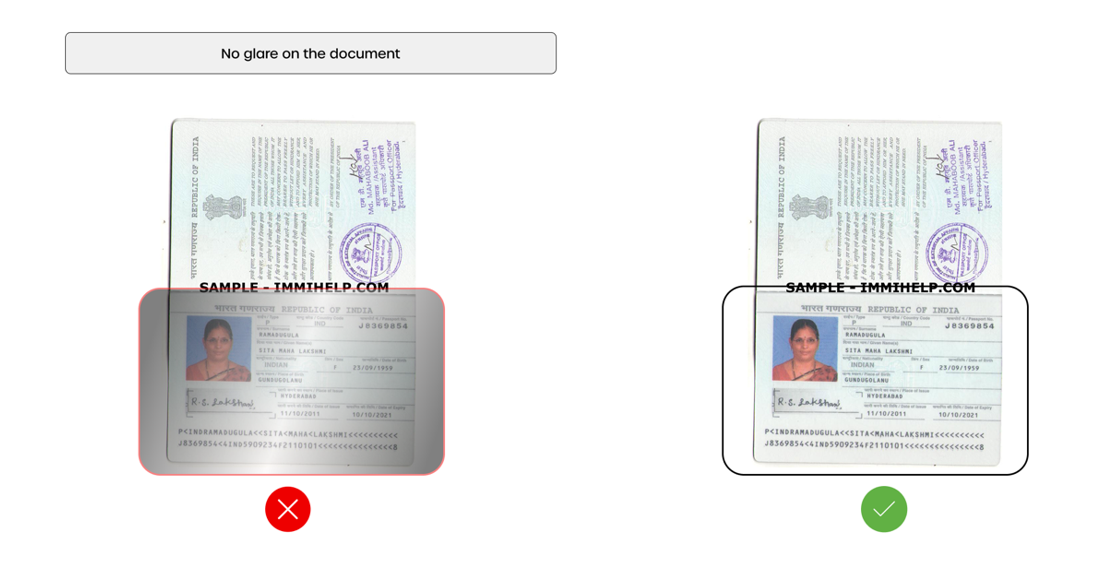
- Lighting: Use natural lighting or a soft, even artificial light source. Avoid harsh overhead lights or direct bright lights that can cause glare or shadows. Recommendation to find a location with ambient lighting.
- Focus: Ensure the camera focuses on the document, avoiding blurriness. Adjust your distance from the document if necessary.
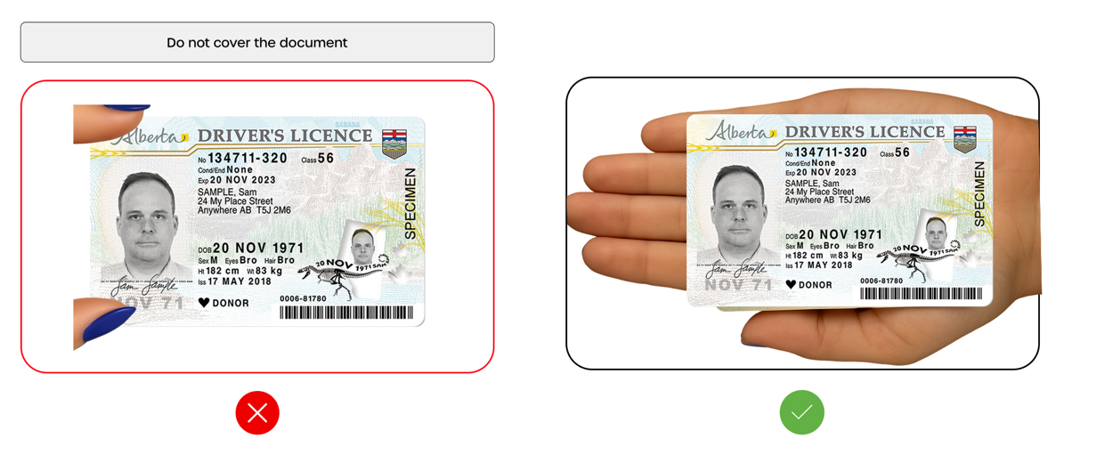
- Image Clarity: All four edges of the document should be visible, and all details (including the face, if applicable, and security features) should be clear and legible. Avoid obstructions like fingers or shadows.
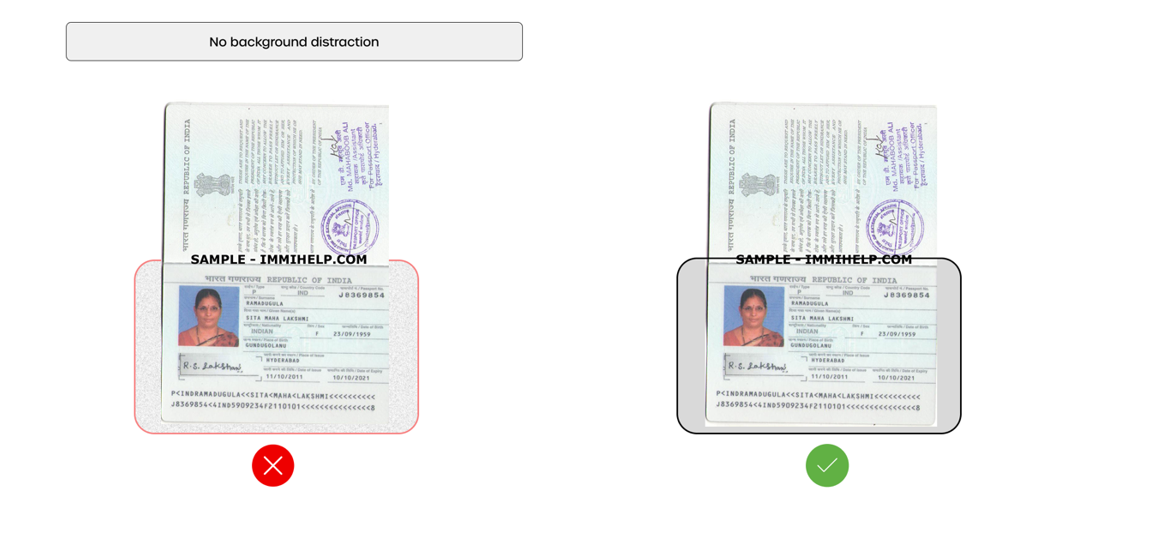
- Background: Keep the background clean and uncluttered to avoid distractions.
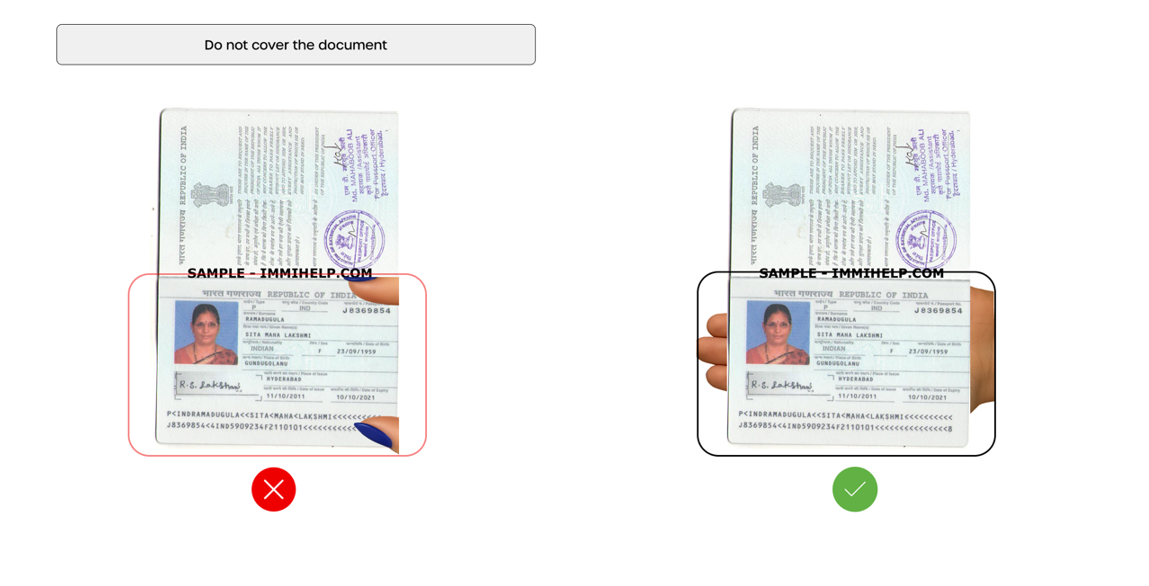
- Avoid Obstructions: Ensure nothing blocks any part of the document, including the edges.
- Document Quality: In some instances, older, deprecated, and in poor standing condition (laminate layer peeling, page(s) crumpling, moisture on document, etc.) document verification process may become failed. Suggestion is to ask customer for an additional piece of ID or document as a substitute.
Visual Guidelines
The following examples illustrate the correct and incorrect application of the visual best practices outlined above.
Driver's License
-
Avoid glare on the document. Glare is typically from overhead lights or exterior lighting.

-
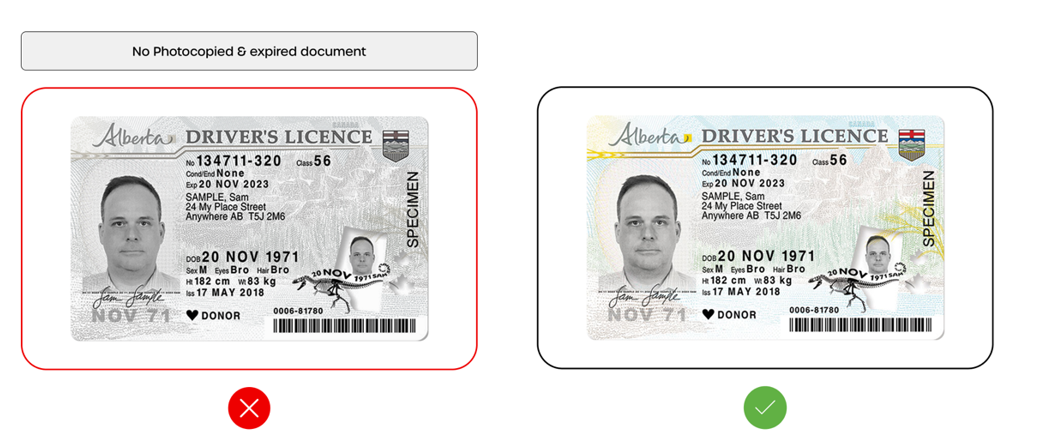
Do not use or accept photocopied, expired documents, or screen captures of a document.
-
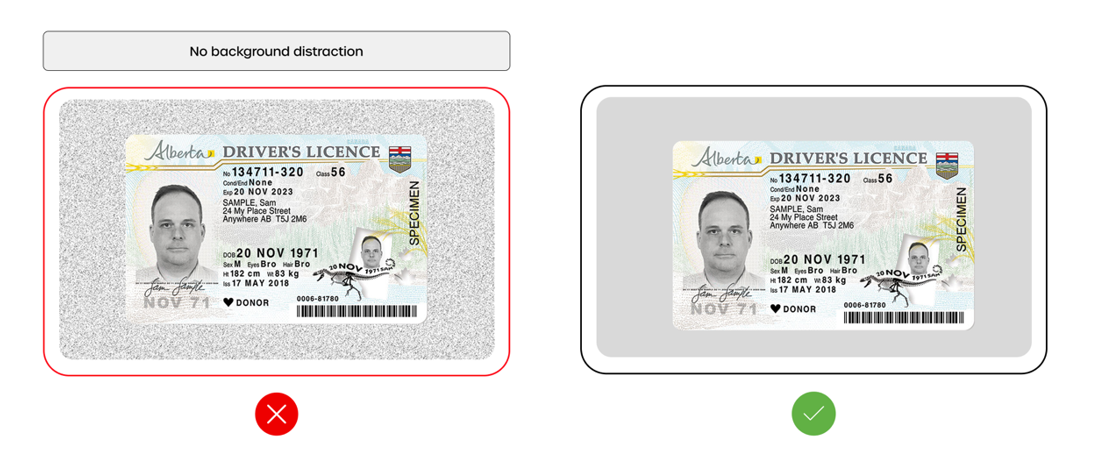
Remove all background distractions. This can be defined as objects within the camera screen for document capture, objects on the table or base where the document is positioned etc.
-
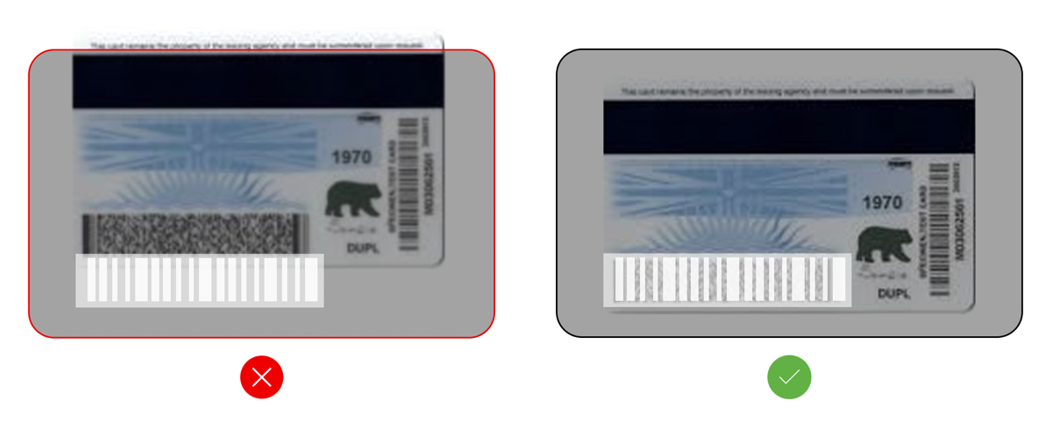
Ensure entire reverse of document is viewable and no barcodes are blocked by fingerprints or objects.
-
Do not cover the document with your fingers on or around the edges.
Passports
-
Avoid glare on the document. Glare is typically from overhead lights or exterior lighting.
-
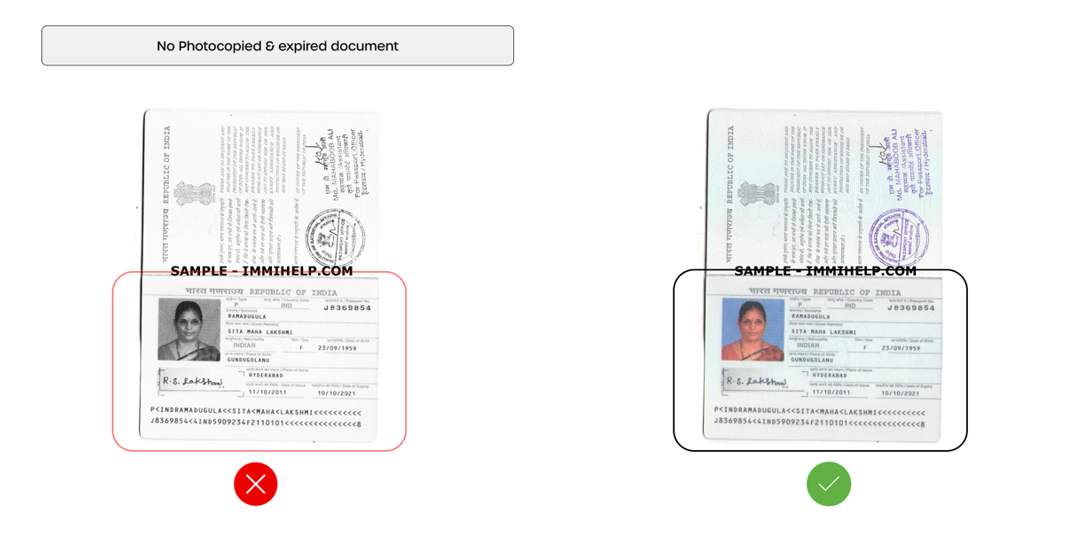
Do not use or accept photocopied, expired documents, or screen captures of a document.
-
Remove all background distractions. This can be defined as objects within the camera screen for document capture, objects on the table or base where the document is positioned, etc.
-
Do not cover the document with your fingers on or around the edges.
-
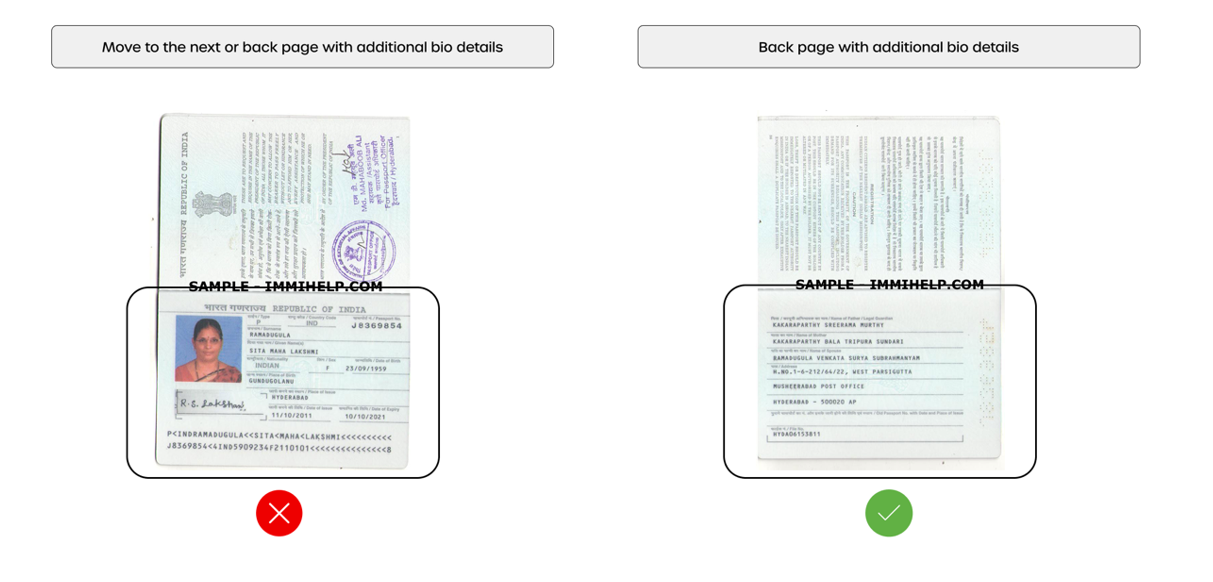
Move to the next or back page in the passport with additional biographical details.