Login Activity Report
Overview
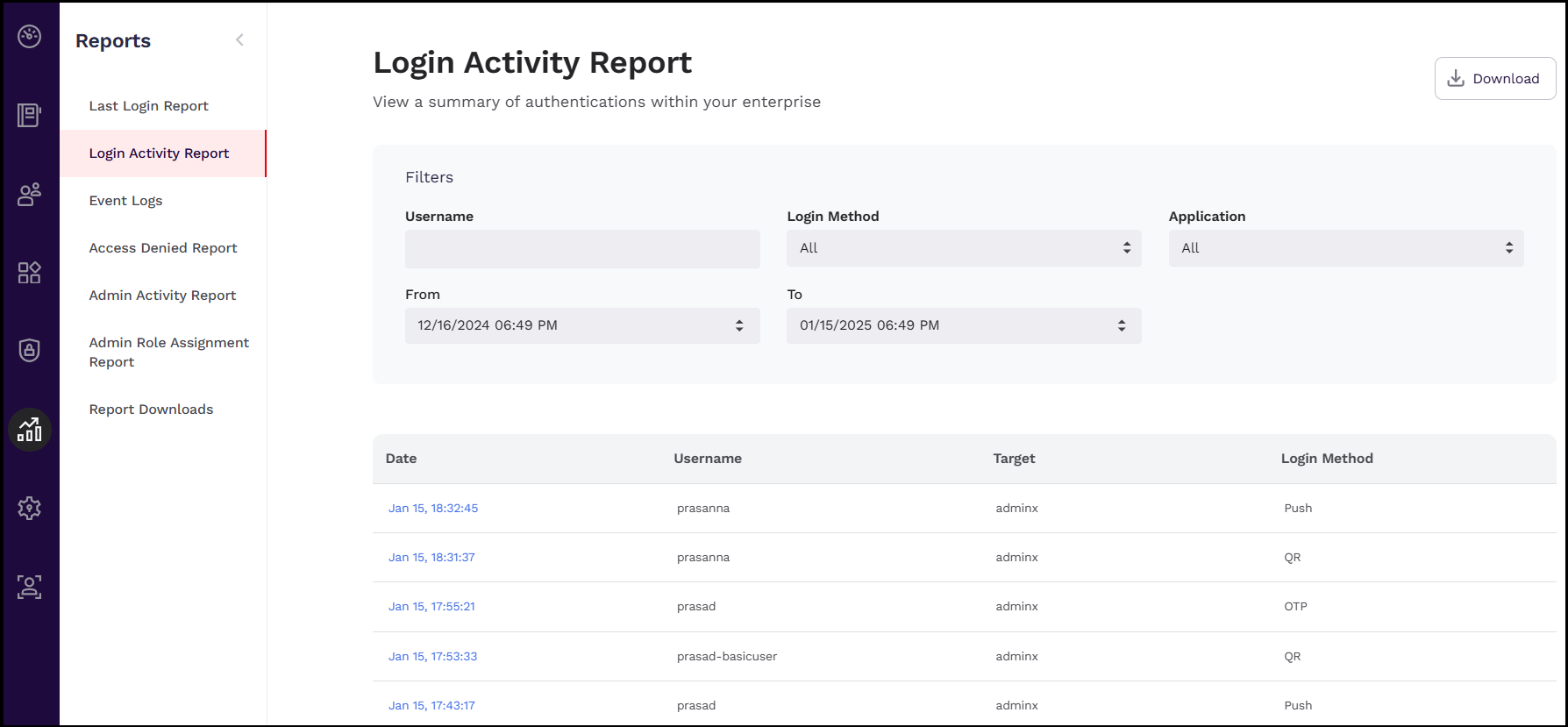
The Login Activity Report dashboard contains detailed data on authentication and login activity for your tenant. Reports can be filtered by username, multi-factor authentication methods, applications, and date.
To access the login activity report dashboard, follow these steps:
-
Navigate to your AdminX tenant and log in as a community administrator or help desk admin.
-
Navigate to the Reports menu on the left pane and then click Login Activity Report. The Login Activity Report page is displayed.
Login Activity Report Details
Administrators can view the log in activity details of a user by clicking on the date link under the Date column.
To view the event details of a user, follow these steps:
- In the Login Activity Report page, click on the link beside the user for whom you have to view the report.
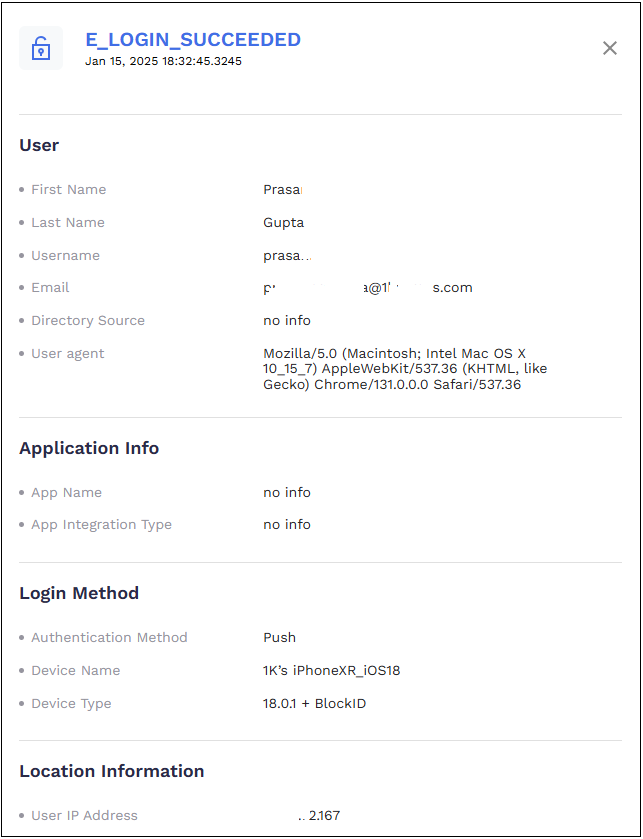
- In the event page that is displayed, view the complete details of the user activity. The event page is divided into the following sections:
-
User
- First Name
- Last Name
- Username
- Directory Source
- User agent
-
Application Info
- App Name
- App Integration Type
-
Login Method
- Authentication Method
- Device Name
- Device Type
-
Location Information
- User IP Address
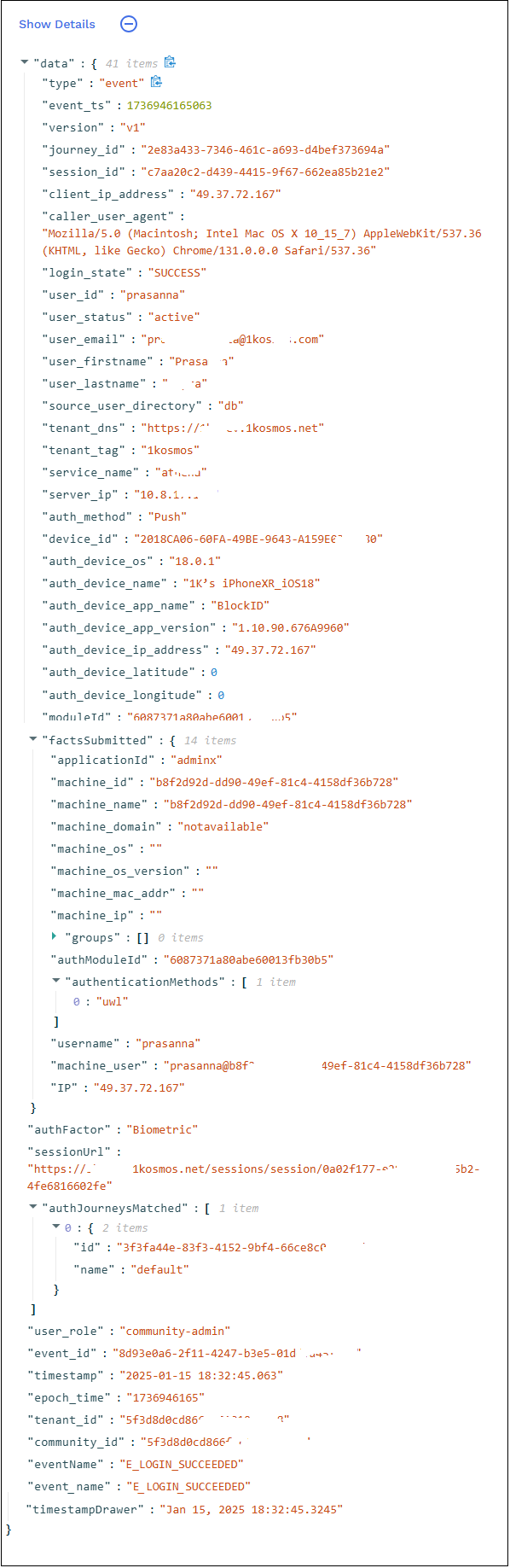
Click Show Details to view even more detailed data, which can be helpful when auditing an report.